Help centrePolicies and documents中文
Write a policy from questions
Pick an outline, answer a few questions, check each section of the draft, then publish.
Each policy starts from an outline based on the NDIS Practice Standards. You answer questions, CareHelm fills in the draft, and you check and initial every section. Nothing is published until you do.
Steps
- Open Documents and press New policy.
- Pick an outline, like Complaints management, and press Answer questions. Then press Start the questions.
- Answer each question and press Save and fill the draft. Answers from About your business are already filled in.
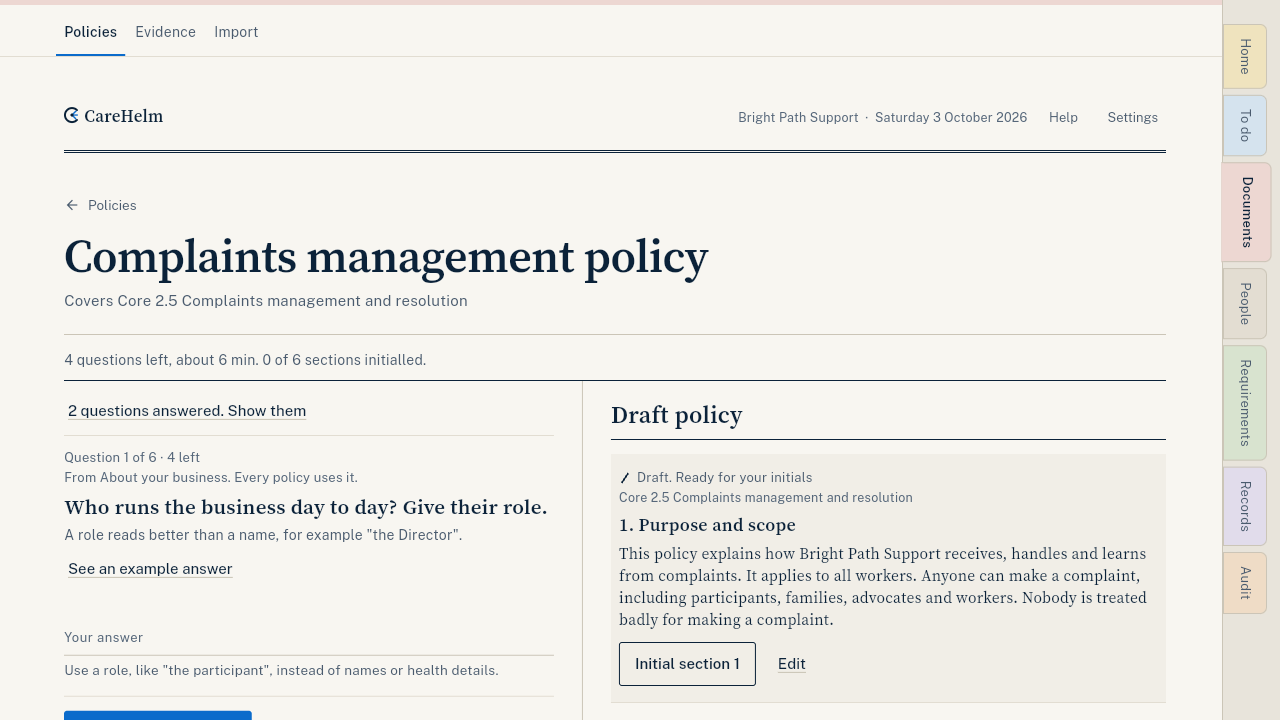
- When the page says All questions answered, read the draft. On a phone, open the Draft tab.
- Change any words that don't match what you do. Then press Initial section 1, Initial section 2 and so on.
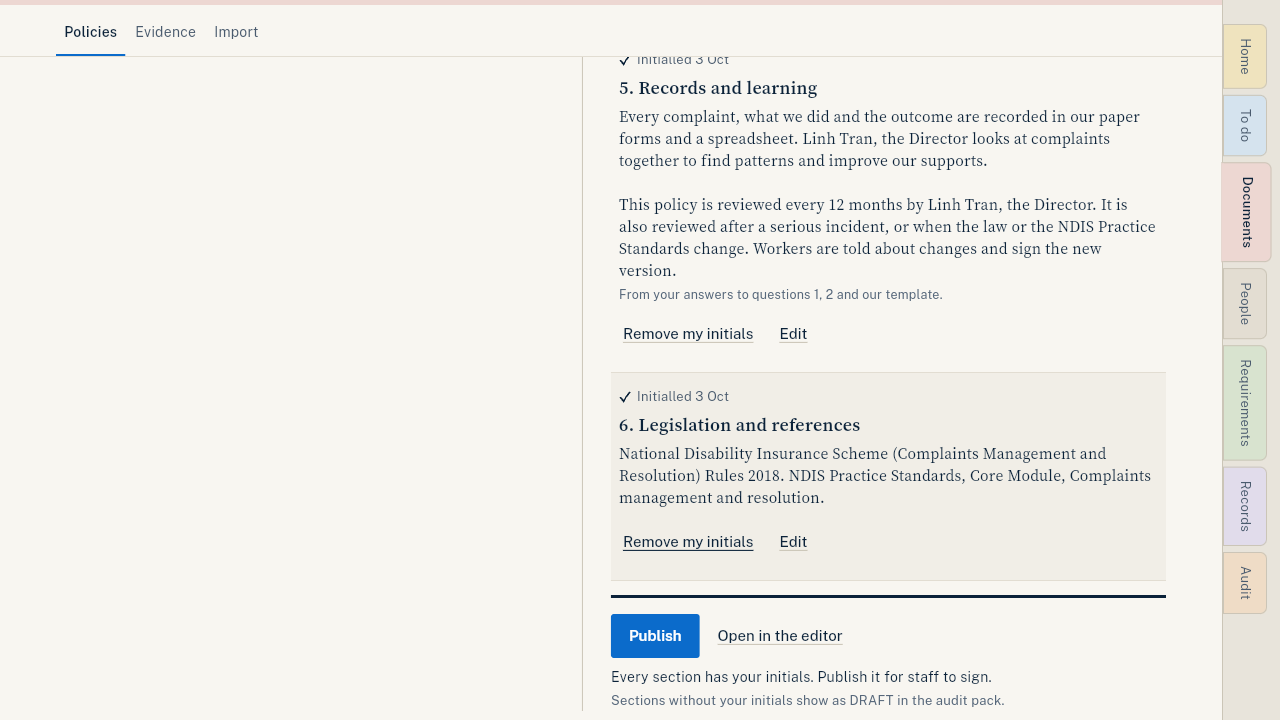
- When every section is initialled, press Publish.
- Press Send staff links to ask your workers to read and sign it. See Send a worker their staff link.
Good to know
- Already have a policy? Upload it instead. See Import your files.
- Each published policy gets a version number and a review date. CareHelm reminds you when the yearly review is due.
- Want AI to write the first draft? See Draft a policy with AI.