Help centreAudit
Draft your portal self-assessment
Build draft answers for Part 2 of your NDIS Commission portal application, then copy them in.
When you apply in the NDIS Commission portal, Part 2 asks how you meet each requirement. CareHelm builds a draft answer for each one from your gap assessment notes and your confirmed policy sections.
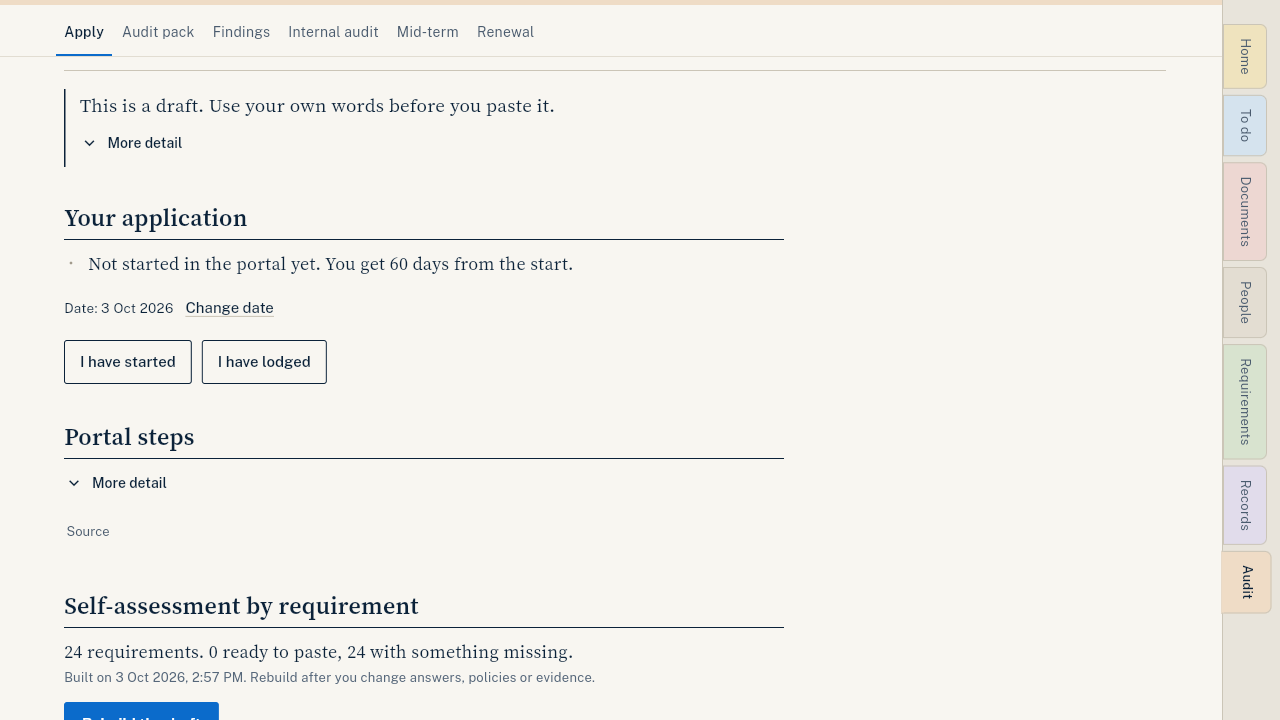
Steps
- Choose your registration groups first. See Choose your registration groups.
- Open Audit, then Apply.
- Press Build the draft. It takes a few seconds.
- Read each answer. Still missing lists what to add first.
- Press Edit to put the answer in your own words.
- Press Copy and paste the answer into the portal.
- When you start in the portal, press I've started in the portal. CareHelm counts down the 60 days. When you lodge, press I've lodged it.
Good to know
- This is a draft. Use your own words before you paste it.
- Press Rebuild the draft after you change answers, policies or evidence.
- Each answer lists the evidence to attach.